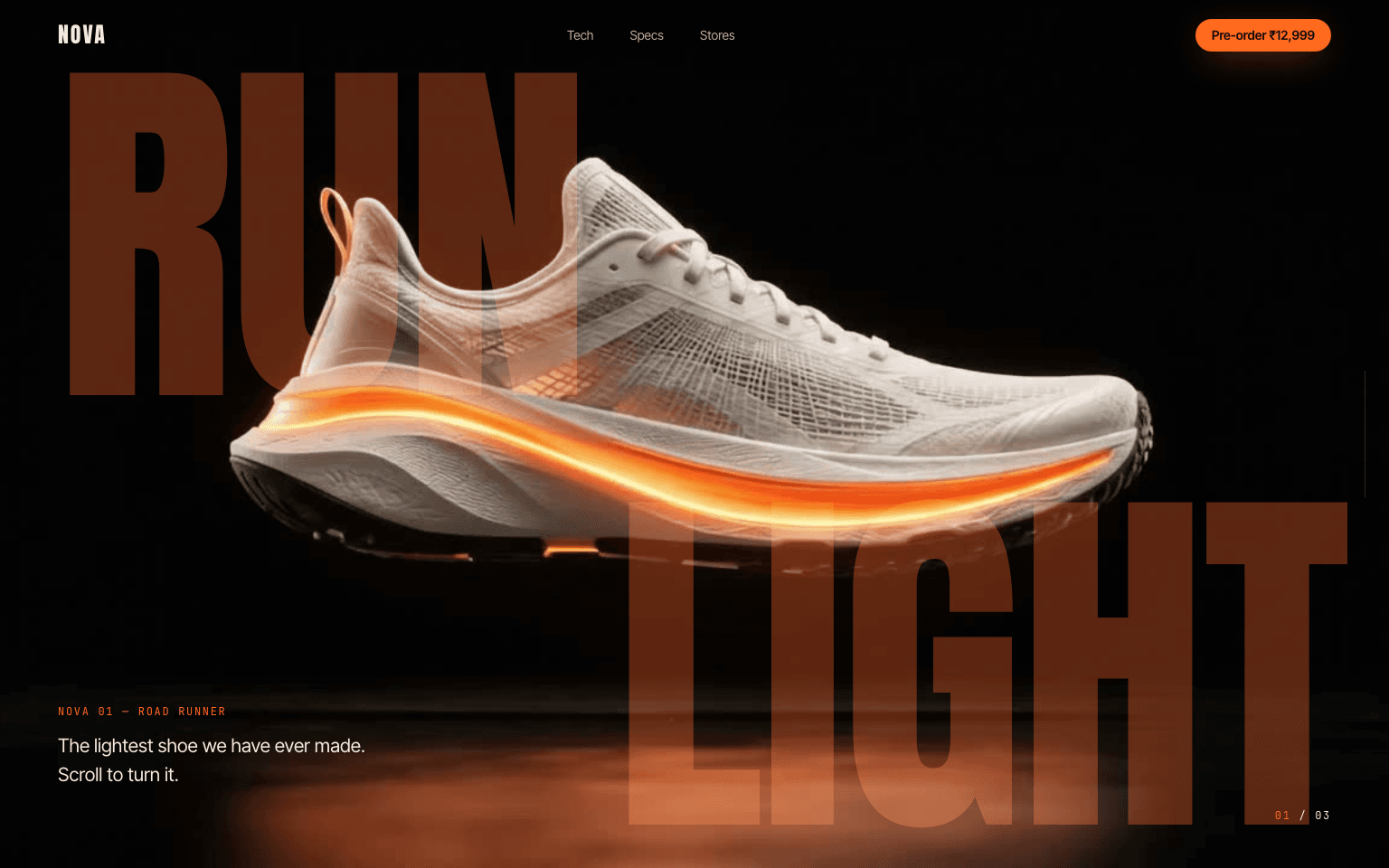
Nova
A glowing running shoe that turns as you scroll, with giant type behind it.
What moves
- Shoe turns half a circle as you scroll, frame by frame
- Giant RUN / LIGHT words slide apart behind the shoe
- Callout lines draw themselves to the heel, mesh and foam
From prompt to live site
- Make the visualsGenerate the image, animate it into a short clip, then turn the clip into frames. The prompts for each are below.
- Copy the promptOne click. Fill in anything in [square brackets] with your own details.
- Paste it into your builderClaude, Lovable, Cursor, v0. Upload your frames to the public/frames folder if it uses them.
- LaunchSwap the copy for yours, check it on your phone, publish.
Asset prompts
Product image
For any image modelUltra-photorealistic product photograph of a futuristic running shoe floating in mid-air in a pitch-black studio, exact side profile facing right. Upper made of translucent white engineered mesh, a thick sculpted midsole of white foam with a glowing electric-orange (#FF5A1F) light strip running along it, carbon-black outsole with a sharp tread pattern. A faint cloud of fine orange glowing dust drifts below the shoe. Strong rim light from behind outlining the silhouette, soft top light, deep black background with a subtle reflection fade underneath. The shoe sits exactly in the centre with plenty of empty space on all sides. Studio product photography, 85mm lens, razor sharp detail, 16:9. No text, no logos, no hands, no people, no other objects.
Video clip
Image-to-video, using the image aboveUse the provided image as the exact first frame. The floating running shoe slowly rotates in place from its exact side profile to a dramatic three-quarter front view, turning about 60 degrees so the toe comes toward the camera, while rising very slightly. The rotation is smooth, slow and at a perfectly constant speed from the first frame to the last, with no easing, pauses or speed changes. As it turns, the glowing orange light strip in the midsole pulses gently brighter, and the fine orange glowing dust below the shoe swirls slowly around it, drifting outward and upward. The shoe keeps its exact shape, materials, colours and design the whole time. No morphing, no warping, no extra laces or parts. The reflective black floor and its orange reflection stay perfectly still; only the reflection follows the shoe as it turns. The background stays pure black. The camera is completely locked off: no zoom, no pan, no tilt, no shake. No cuts, no new objects, no text, no logos, no hands, no people. Ultra-photorealistic studio product shot, 5 seconds, 16:9.
Clip to frames
Run in a terminal with ffmpeg installedffmpeg -i nova.mp4 -q:v 5 public/frames/frame_%04d.jpg
Build a scroll-driven product page for "Nova 01", a (fictional) 198 g road-running shoe with a glowing foam midsole. As the visitor scrolls, a sequence of 120 photo frames plays on a canvas so the shoe turns half a circle, while text appears in three beats. Recreate it exactly as described; every colour, size, line of copy and timing is intentional. Do not add extra sections, icons or placeholder images.

=== MEDIA (use these exact URLs) ===
- Frames: 120 JPGs, 1280x720 each, named https://prompts.picsmob.com/frames/nova/frame_0001.jpg up to https://prompts.picsmob.com/frames/nova/frame_0120.jpg (4-digit, zero-padded). Build the URL in a function: frameSrc(i) = base + "frame_" + String(i + 1).padStart(4, "0") + ".jpg".
- What they show: a white mesh running shoe with an orange light strip floating over a black reflective floor. Frame 1 is a side view, toe pointing right. Around frame 60 it faces the camera. Frame 120 is the other side, toe pointing left, with orange smoke swirling around it. The background is pure black (#010101).
- Source clip (only if you want to make your own frames): https://res.cloudinary.com/dnkrqpuqk/video/upload/v1791321379/watermark-removed-video_iagjib.mp4
Put FRAME_COUNT = 120, FRAME_W = 1280, FRAME_H = 720 and the base URL in constants at the top.

=== STACK ===
- React + Vite, JavaScript, one plain CSS file. No Tailwind, no GSAP, no Lenis, no other libraries. The scroll effect is a canvas, requestAnimationFrame and CSS variables.
- If your tool only supports Next.js, build the same thing as a client component with a plain global CSS file.
- Fonts: "Anton" (display: wordmark, headlines, numbers), "Inter Tight" (body), "JetBrains Mono" (small labels). Google Fonts or Fontsource.
- Page title "Nova 01 · Run light", theme-color #010101, preload frame 1.

=== TOKENS (:root) ===
--bg #010101 (must match the black in the frames so the canvas edges vanish) · --cream #f3ece2 (text) · --muted #8d857c · --orange #ff6a1f (accent) · --ember #5a2410 (the giant words) · --line rgba(243,236,226,0.14) · --gutter clamp(20px, 4.5vw, 64px).
Body: background --bg, colour --cream, Inter Tight 17px, line-height 1.55, no horizontal scroll. Smooth scrolling. Focus ring 2px orange.
.mono class: JetBrains Mono 12px, letter-spacing 0.14em, uppercase, colour --muted.

=== BUTTONS ===
Pill (radius 999px), Inter Tight 600 15px, padding 16px 28px, lift 1px on hover.
Orange: background --orange, text #140802, box-shadow 0 10px 40px -12px rgba(255,106,31,0.8); hover #ff7d3a with a stronger glow. Small version: padding 11px 18px, 14px.

=== NAV (fixed, full width, z-index 20, padding 20px gutter, fades in on load) ===
Left: "NOVA" in Anton 24px, letter-spacing 0.08em. Middle: links Tech, Specs, Stores (14px, 75% opacity, 100% on hover). Right: small orange button "Pre-order ₹12,999" linking to #order. After the visitor scrolls past 4 screen heights it gets background rgba(1,1,1,0.7) and blur 14px. Hide the middle links under 900px.

=== THE SCROLL STAGE ===
- An outer section 500vh tall. Inside, a sticky stage: top 0, height 100svh, overflow hidden, isolation isolate, background --bg.
- Progress p = how far the outer section has scrolled, 0 to 1 (clamp(-rect.top / (sectionHeight - innerHeight), 0, 1)).
- Layers inside the stage, bottom to top:
  1. Giant words (z 0, pointer-events none): "RUN" (left 4vw, top 10vh) and "LIGHT" (right 3vw, bottom 6vh). Anton, colour --ember, font-size clamp(120px, 27vw, 460px), line-height 0.8. RUN moves translateX(p * -40vw), LIGHT moves translateX(p * 40vw). Opacity = --b1 (see beats).
  2. The canvas (z 1, full stage) with CSS mix-blend-mode: screen. This is the key trick: screen makes the near-black frame background see-through, so the giant words show through it and the white shoe passes in front of them.
  3. Overlay with all text (z 2, pointer-events none).
- Canvas drawing:
  - Size it to the viewport times devicePixelRatio (max 2) and redraw on resize.
  - Wide screens (width >= height): "cover" the frame, scale = max(w/1280, h/720), centred.
  - Tall screens (phones): scale = (w * 1.35) / 1280 so the whole shoe stays in view, centred horizontally, frame centre at 46% of the height. Then paint vertical gradients from transparent to #010101 over the bottom 18% and top 12% of the drawn frame so its edges fade into the page.
  - Before each draw, fill the canvas with #010101.
- Frame playback:
  - target = p * 119. Keep a current value and ease it every animation frame: current += (target - current) * 0.2. Draw Math.round(current), and only redraw when that index changes.
  - Load frame 1 first and draw it at once, then load the rest with 6 parallel loaders. If a frame isn't loaded yet, draw the nearest loaded one before it.
  - Show a 2px loading bar across the bottom of the stage (track rgba(243,236,226,0.08), fill --orange) until all 120 are loaded, then remove it.
- Every animation frame, set these CSS variables on the stage element (not via React state):
  --p = progress
  --b1 = band(p, -1, 0, 0.16, 0.28)
  --b2 = band(p, 0.30, 0.38, 0.54, 0.62)
  --b3 = band(p, 0.66, 0.76, 2, 3)
  where band(p, a, b, c, d) is 0 before a, rises linearly to 1 at b, holds until c, falls back to 0 at d.

=== THE THREE BEATS (inside the overlay) ===
Beat 1 (opacity --b1, moves up 24px as it fades): bottom-left at 9vh, a small block: "Nova 01 — road runner" (.mono, orange) above "The lightest shoe we have ever made. Scroll to turn it." (clamp(17px, 1.4vw, 21px), max 30ch). Both rise in on page load (0.5s and 0.65s delays).

Beat 2 (opacity --b2, rises 24px as it appears):
- Left, vertically centred: "FEELS / LIKE / NOTHING." in Anton uppercase, clamp(64px, 9vw, 150px), line-height 0.86, with "NOTHING." in orange.
- Right, vertically centred, width min(300px, 24vw): "One piece of foam, tuned to give back more than you put in. A light strip runs through it, so you are seen before you are heard." (16px, cream 80%), then "198" in Anton clamp(64px, 7vw, 110px) with a small orange "g", then the .mono line "Size 9, the lightest in its class".

Beat 3 (opacity --b3): three callouts pointing at parts of the shoe on the final frame. Each anchor is a point in frame coordinates, mapped to the screen with the same scale and offset the canvas uses (recompute on resize):
- Heel loop: anchor x 0.695, y 0.25 of the frame; label 150px right, 70px up. Label "Glow heel loop", value "Seen at 200 m".
- Mesh: anchor x 0.55, y 0.40; label 340px right, 60px down. "Engineered mesh", "198 g, size 9".
- Foam: anchor x 0.42, y 0.58; label 250px left, 90px down (label right-aligned to its point). "Nova Foam + light strip", "38% more return".
Each callout: a 10px orange dot with a 4px rgba(255,106,31,0.25) ring at the anchor, an SVG line (1px, cream 70%) from the anchor to the label, and a label with the name in .mono and the value in Anton clamp(22px, 2vw, 30px), both with text-shadow 0 1px 12px rgba(1,1,1,0.9).
Draw-in: t = clamp((p - 0.7) / 0.18, 0, 1). For callout n (0, 1, 2), its own progress is clamp(t * 1.6 - n * 0.3, 0, 1). Animate the line with stroke-dasharray = its length and stroke-dashoffset = length * (1 - progress); the dot scales and the label fades in with the same progress.

Always visible in the stage:
- A thin progress rail on the right edge: 1px x 140px, vertically centred, track --line, orange fill scaled with scaleY(p) from the top.
- A step counter bottom-right in .mono: "01 / 03", where the first number is orange and becomes 02 when p >= 0.3 and 03 when p >= 0.64.

=== BELOW THE STAGE ===
Sections max-width 1320px, centred, top padding clamp(90px, 12vw, 170px). Each fades in and rises 32px once when it scrolls into view (IntersectionObserver).
Headings: Anton uppercase clamp(48px, 6.5vw, 100px), line-height 0.92, with an orange .mono kicker above.

1. Specs (id "specs"): kicker "The numbers", heading "Made to disappear / on your foot." Then 4 columns, each with a hairline on top: a big Anton number (clamp(48px, 5vw, 76px), turns orange on hover), a .mono label and a short line in cream 70%:
   198 g · Weight · Size 9. Lighter than most racing flats.
   38% · Energy return · Nova Foam gives back more with every stride.
   8 mm · Drop · Heel to toe, for an easy, rolling landing.
   200 m · Glow · The light strip charges in daylight, glows at night.

2. Pre-order (id "order"), 2 columns (1.15fr / 1fr), bottom padding clamp(90px, 10vw, 150px):
   - Left: frame 120 as an image (aspect 16/10, radius 14px, cover, a 1px --line ring).
   - Right: kicker "First drop · ships March 2027", heading "Your next PB / starts here.", price "₹12,999" in Anton 44px, .mono "Pick your size (UK)", a row of 48px square size buttons 6 to 12 (radius 12px, 1px --line border, mono 14px; the selected one is cream with dark text; 9 selected by default), an orange "Pre-order now" button that changes to "Reserved: UK 9 ✓" (with the chosen size) when clicked, and "Free returns for 30 days. Pay nothing until it ships." in muted 14px.

3. Footer: hairline on top, "NOVA" left, "A concept product. © 2027 Nova Running." right, muted 14px.

=== MOBILE (under 760px) ===
- Giant words 34vw (RUN top 14vh, LIGHT bottom 24vh). Beat 1 block at bottom 8vh.
- Beat 2: headline at top 12vh, 15vw; the paragraph is hidden; "198 g" (64px) and its label sit at the bottom.
- Beat 3: hide the lines and dots; the three labels stack as a list at the bottom of the stage (gap 14px, bottom padding 9vh).
- Hide the rail; move the step counter to top 84px. Specs become 2 columns; pre-order becomes 1 column.

=== REDUCED MOTION ===
Under prefers-reduced-motion: turn off all animations and transitions, make the stage only 100vh, load and draw frame 120 only, hide beats 1 and 2, and show beat 3 with the callouts fully drawn.

=== CHECK BEFORE YOU FINISH ===
- Scrolling slowly turns the shoe smoothly through all 120 frames, with no flicker or blank frames.
- The shoe passes in front of RUN and LIGHT (the screen blend works), and the words slide apart and fade.
- Beats 2 and 3 appear and disappear at the right moments; the callout lines draw in one after another and point at the heel loop, mesh and foam.
- No horizontal scroll at 1440px, 900px or 375px wide; on a phone the whole shoe is visible.
More templates
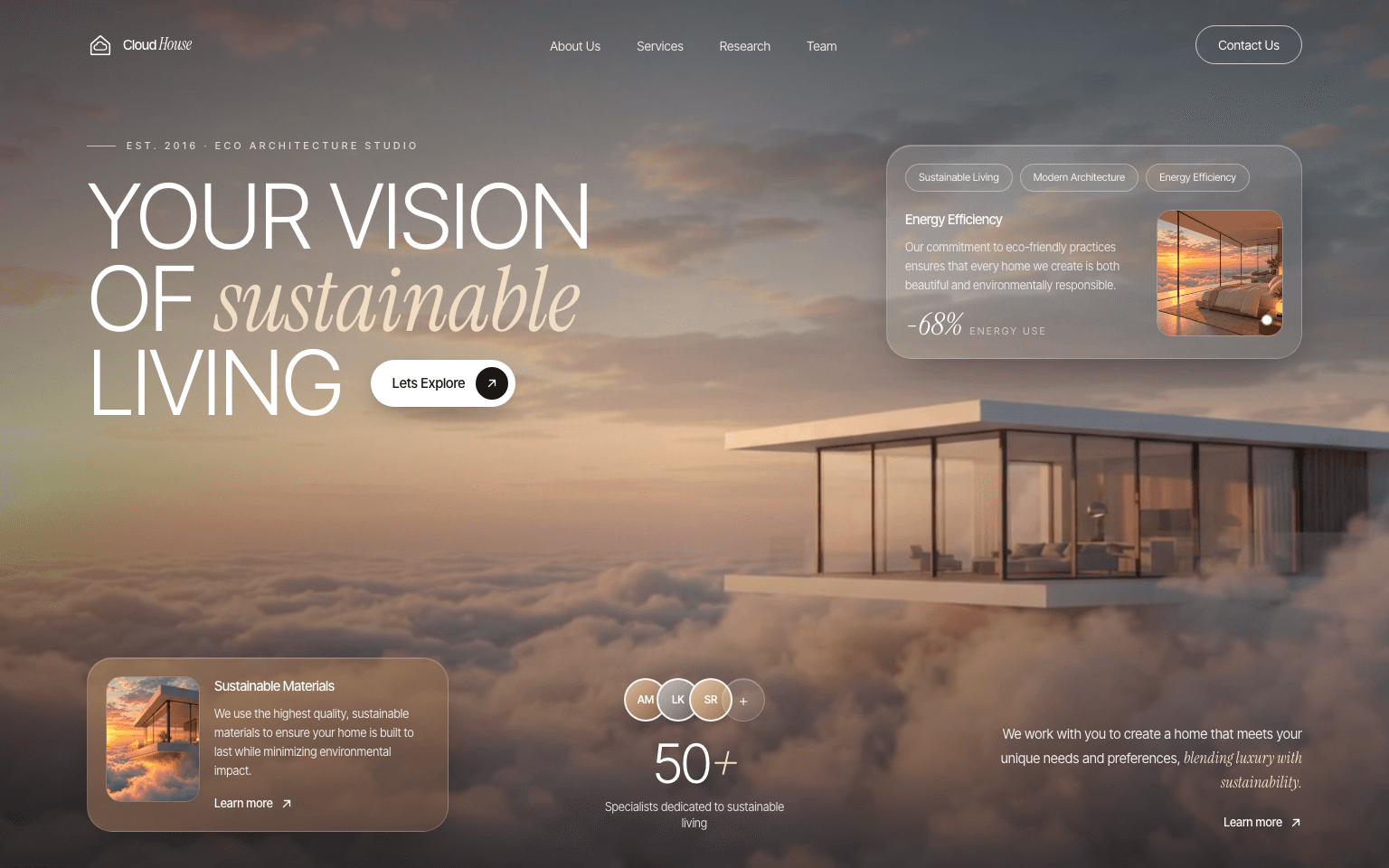 Free
FreeCloud House
Hero Section Free
FreeAmbara
Landing Page